Home /
Free assets for side projects: icons, art, fonts and sound
Choose free icons, illustrations, fonts, game art and sound effects, with real source specimens and suggested combinations for small projects.
- Choose complementary families for type, icons, illustration, game worlds and feedback.
- Twelve resource choices cover eight ingredient roles, with real labelled specimens.
- Suggested app, browser-game and 3D combinations explain how the ingredients can fit.
Free assets can cover the icons and type in a small app, the world and feedback in a browser game, or the objects and lighting in a 3D scene. The useful question is which ingredients fit together. A good illustration does not choose your font, and a character sprite does not give you a menu.
Start with the missing job below. Then choose one visual direction and reuse it across the project, instead of collecting a new style for every screen.
- Interface icons: Lucide. A consistent family of outline symbols.
- Type: Inter; Fredoka. Screen-focused interface text versus rounded, playful headings.
- Illustrations: unDraw; Open Doodles. Coordinated vector scenes versus loose hand-drawn characters.
- Backgrounds: Hero Patterns. Repeating SVG motifs rather than a large foreground illustration.
- Game world: Kenney New Platformer Pack; Tiny Town. Rounded platformer art versus 16×16 pixel town tiles.
- Game controls: Kenney UI Pack. Buttons, panels and sliders as a separate set.
- Sound effects: Kenney Interface Sounds; Digital Audio. Interface responses versus game actions.
- 3D scene: Poly Haven. Objects, surface materials and environment lighting.
Sources and representative files were checked on 15 and 19 October 2026. The specimens below use actual source assets. The starter combinations are suggestions, rather than finished projects.
Icons and type for an app
Lucide is a useful starting point for search, settings, download and other interface symbols. Its outline icons share a visual language, so related controls need not look as though they came from six different toolbars. Use individual SVGs for a small static page or the appropriate framework package. Retain its supplied ISC and inherited Feather MIT notices with copied assets.
For the text around those controls, Inter is designed for screens. It fits the ordinary work of an app: settings, labels, lists and paragraphs. Fredoka makes a different choice, with rounded forms intended for large text. It is a useful candidate for a short game title or a playful heading; a whole settings screen does not need that same emphasis.
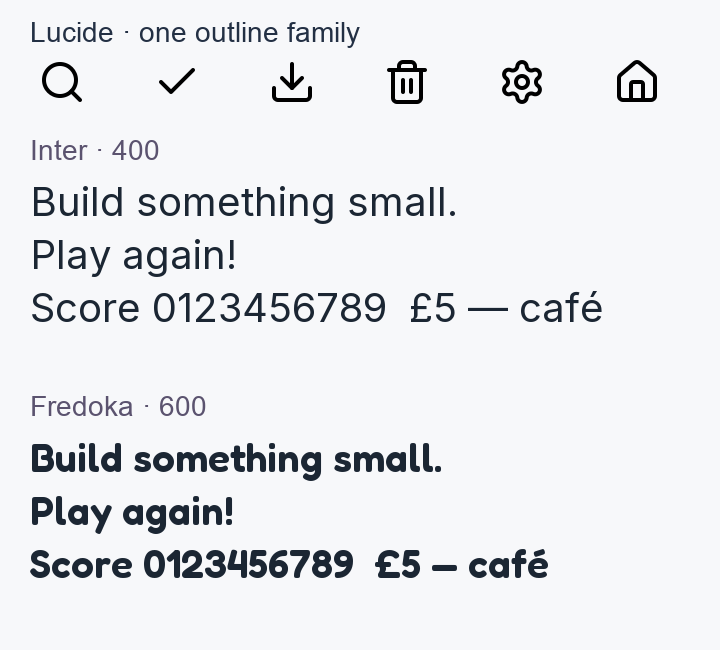
Both checked font packages use the SIL Open Font License, including commercial project use. Keep the copyright and licence when distributing or self-hosting the font files. You can use the original local files without making a request to a hosted font service.
Choose type at the size the project needs, including numbers and punctuation. Likewise, keep a text label where it helps explain an icon, and give an icon-only button an accessible name. A consistent drawing style still needs a clear meaning in the interface.
Illustrations and backgrounds do different jobs
unDraw is a useful route for coordinated vector scenes: an onboarding page, an empty state or a section explaining what a tool does. Its colour customisation makes an accent colour a practical matching point with the rest of the interface. Its licence allows commercial project use without attribution, but restricts redistributing the collection as an asset pack or competing service. Use it inside the project.
Open Doodles offers a visibly looser direction: hand-drawn characters and scenes, with downloadable SVG and PNG files. Choose it when that sketchy character belongs in the project, rather than trying to make every illustration look like a polished interface diagram. The source artwork is offered under CC0, including commercial reuse.
A background is a different ingredient. Hero Patterns supplies repeating SVG patterns that can sit behind a section or panel. Start with a small motif and restrained colour contrast so the text remains the focus. Its CC BY 4.0 terms require attribution: keep Steve Schoger’s credit and the licence link, and indicate changes.
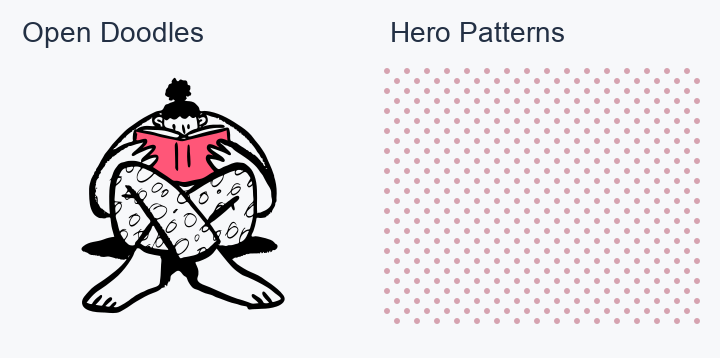
You do not need an illustration, a pattern and a new visual flourish on every page. Pick the one that explains or gives character to that part of the project, then give the content room around it.
A game world, then its controls
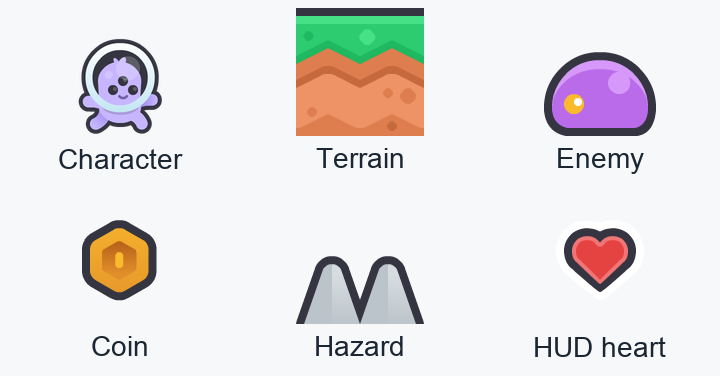
Kenney’s New Platformer Pack is a useful example of choosing enough art for the screen. Its family includes terrain, backgrounds, character poses, enemies, collectibles and HUD elements. That makes it a concrete starting point for a small side-scrolling game. PNG sprites are ready to place; SVG versions let you edit the artwork.
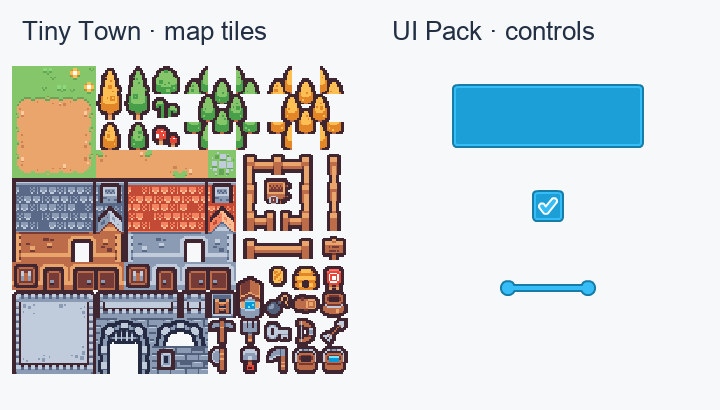
For a small town or map, Tiny Town offers a different direction: 16×16 pixel tiles for buildings, trees, paths and related scenery. Choose the viewing style before the pack. A top-down map and a platformer need different kinds of terrain and objects; mixing them does not become coherent just because both downloads are free.
UI Pack fills another gap, with buttons, panels, toggles and sliders. Use its PNG or SVG artwork when you want a family of control shapes, and bring a separately chosen font. UI Pack’s bundled fonts have conflicting licence notices; the recommendation here is its artwork. Match a colour and treatment deliberately, rather than assuming every Kenney pack shares one style. The three art packs have CC0 artwork notices; credit is optional.
The platformer pack already has hearts, coins and other HUD art, so try those before adding a second interface family. None of these art choices supplies your game rules or makes character poses into a timed animation by itself.
Feedback sounds for actions
For menus and interface responses, Interface Sounds provides named click, confirmation, error and related variants. It is a more focused starting point for a button response than searching a general audio catalogue one file at a time.
For game actions, Digital Audio has named effects such as laser1.ogg, powerUp1.ogg and zap1.ogg. Those are useful files to audition for a small space-game prototype. The two inspected packs supply Ogg effects under CC0, including commercial reuse without mandatory credit.
Audition the Interface Sounds preview and Digital Audio preview before choosing the actual sounds. The file checks here establish formats and named roles, not which effect will sound right in your game. Keep the set small at first: one response for an ordinary click, one for success and one for failure is enough to start deciding how the interface should behave.
Objects, surfaces and light for a 3D scene
Poly Haven covers three complementary jobs. Wooden Table 02 is an object you can place. Brick Wall 001 is a set of surface maps to apply to geometry. Kiara 1 Dawn is an HDR environment image for lighting and reflections around a scene.
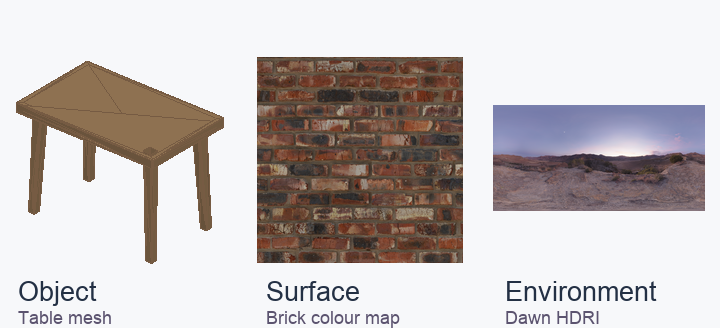
Choose a model format your tool supports, keep its texture dependencies together, and try a small download first. Models, material maps and HDRIs are offered under CC0. Website example renders have separate terms, so use the downloadable assets rather than copying their preview pictures.
Three starting combinations
A small web app: Inter for labels and body text, Lucide for actions, and one unDraw illustration for an empty state. Choose one accent colour for the illustration and the app’s controls. If Open Doodles fits the tone better, make that the illustration family throughout. Hero Patterns can provide a quiet section background where the page needs one.
A browser game: choose New Platformer for a side-scroller or Tiny Town for a town/map prototype. Reuse the pack’s own HUD where possible; add UI Pack only where it fills a real control gap. Fredoka can carry a short title while Inter handles instructions. Start by auditioning Interface Sounds for menus, then add Digital Audio only for actions that need that kind of effect.
A 3D scene: start with one Poly Haven model, one surface material for the surrounding geometry and one HDR environment. Check the object’s scale and the lighting together before collecting more objects. The three downloads solve different parts of the scene; the composition is still yours.
Keep each download’s source page and notice beside the original files. If the next missing ingredient is somewhere to run a web project, the free-compute guide covers hosting, databases and compute allowances.