Home /
Codex, fix my home server. I want to watch a film.
Using Codex from my MacBook to repair storage imports, update a server endpoint and bring an SSD into Plex, with checked results and real limits.
I wanted to watch a film, and things on my home server were not importing. Downloads were there, but they were not getting into the library. What? Why wasn't it working?
I could have investigated it myself. I could have done the storage balancing. Instead, I went to Codex: “It's not working. Fix it.”
That has become a useful part of having the server. I can ask Codex to deal with a real problem on it, from the MacBook I am already using, and get on with what I wanted to do. I didn't want to have to fuck about with the storage. I wanted to watch a movie.
Free space was not the whole answer
The problem was in my mergerfs pool, which combines the drives behind one filesystem. The repair record showed roughly 24 TB free across the pool, but the branch receiving library files had only about 99 GiB available, below its 100 GiB reserve.
The placement policy only considered drives where the relevant directory already existed. Two spare drives did not have that directory tree. Their free space was not helping those imports.
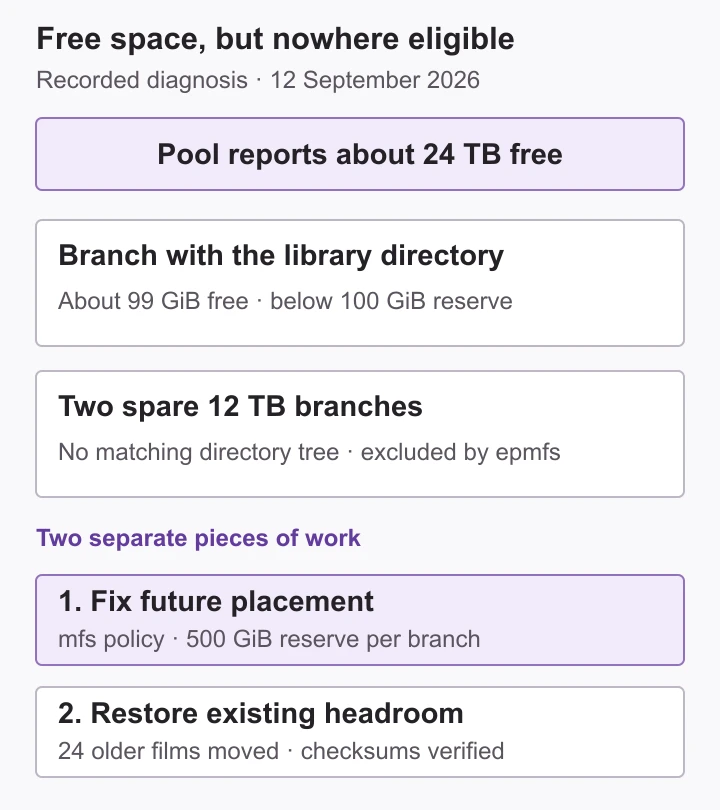
Codex diagnosed that, corrected where new files could be placed, and carried out a separate rebalance of existing files. It moved 24 older films, checking each destination's checksum before removing the source. The moved files were then read through the normal network-storage path.
There was work along the way. The storage mount disconnected during the repair and needed controlled recovery; the exact cause of that disconnection was not established. The rebalance later paused when the VM's control agent restarted. Codex checked the state and resumed it. The completion record distinguishes that finished, verified job from a transfer that had merely been started.
For me, the useful result was that the server worked again without me spending my time digging through it.
A request from the MacBook
This follows the home server I had gradually built around OpenMediaVault, now running in a Proxmox setup. Codex runs on my Mac, with private SSH and API access to the server over the LAN or Tailscale.
The local home-infra repository gives it an inventory, operating rules, runbooks and non-secret infrastructure definitions. Stack operations go through Komodo and Compose; Proxmox and host work have their own SSH/API path. That gives the request somewhere concrete to go.
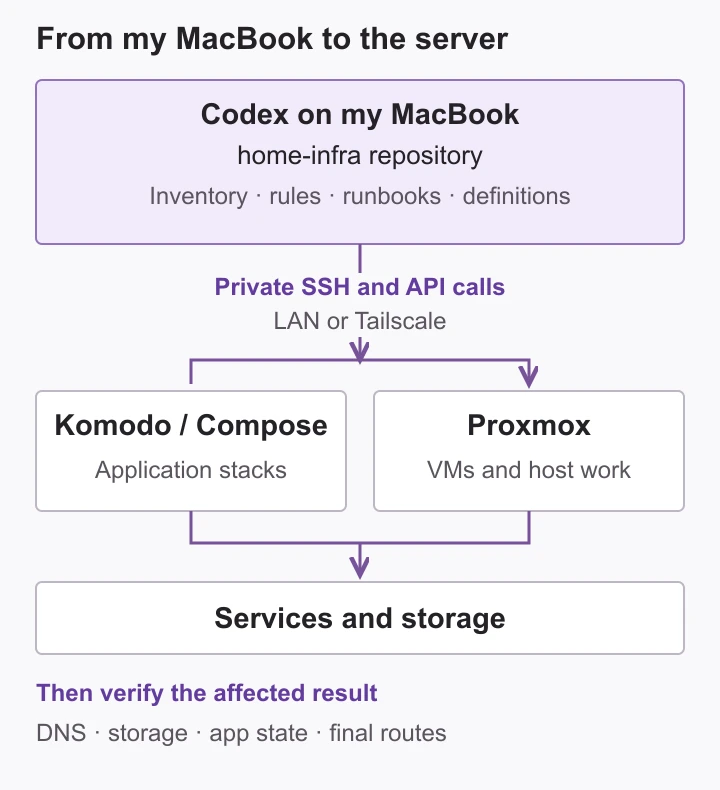
Just a MacBook, AI, and an AI desktop app is my ideal workflow now. I've moved away from spending so much time in the terminal. That does not mean the server work stops involving commands. Codex can run them and inspect what happened.
One small example was an email saying a Usenet provider had permanently changed its domain. With Wispr Flow, I could dictate the request: look at the email, find the change and update the server.
Codex checked the provider announcement, changed the endpoint in Prowlarr, tested the connection with the existing key, and confirmed it synced to all four Sonarr and Radarr instances. No restarts were needed. It was so easy, and I could just move on.
Waiting for the films
More recently, I plugged a USB SSD into the physical server with the Star Wars versions we wanted to watch. I asked Codex to copy them over, import them into my 4K Radarr and Plex library, and make sure we could use subtitles.
They were 4K77, 4K80 and 4K83. The copies passed checksum verification, and the available English subtitle tracks were selected. I also asked whether Radarr would replace them with something it considered better. Codex left all three unmonitored so automatic upgrades would not replace those editions, and finished with the SSD unchanged and unmounted.
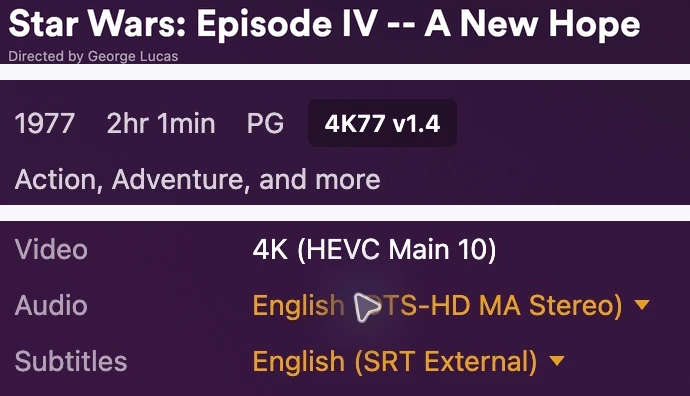
I set it off, went back to sit with my boyfriend, and we waited. It got them in. We could watch the movie.
There are smaller uses too, like asking for drama recommendations based on my history. Dedicated apps exist for that, but I can use the plan I already have and throw a good model at the problem.
These are the jobs that make having that control feel good to me: the import that is stuck, the endpoint that needs changing, the files sitting on a drive. I can ask for the thing I actually want and let Codex work through the server details.